
 Try Claude
Image OpsResize, convert & optimize images
AI tools that help art directors generate concepts, produce assets, research visual trends, and deliver brand-consistent creative at scale.
Works in Chat, Cowork and Code
Generate visual concept variations rapidly before any production commences. Test multiple creative directions — lifestyle, editorial, product-focused, luxury, minimal — and share visual references with clients or internal teams for alignment before investing in a full shoot.

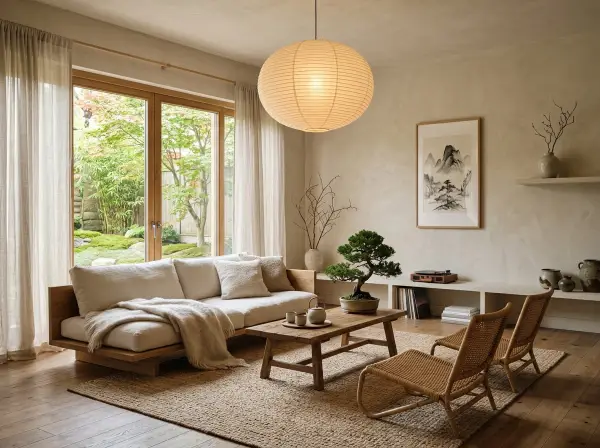
Generated 4 concept directions. Forest morning: warm amber tones, dew on leaves, soft bokeh. Urban café: high contrast, street photography style, steam. Japanese ritual: clean white space, single ceramic cup, geometric shadows. Bold editorial: flat color blocks, sans-serif typography overlay.
 ToolRouter generate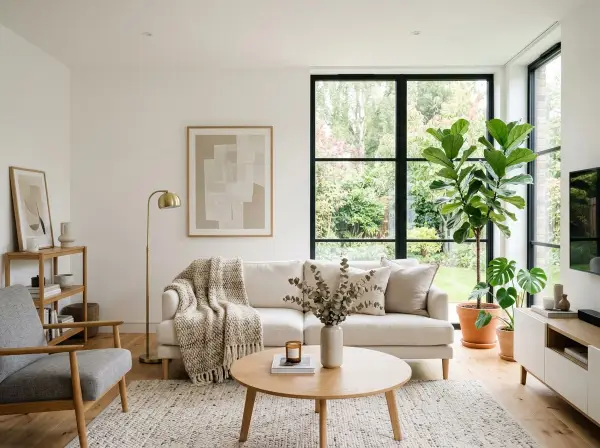
Generate professional product images in multiple studio configurations without a physical shoot. Create white background e-commerce shots, lifestyle settings, detail close-ups, and flat lays from a single product photo.
Created 4 shots. Studio: clean white, drop shadow, product centered. Kitchen lifestyle: marble counter, soft morning light, natural props. Flat lay: arranged with complementary ingredients on linen. Texture detail: macro crop showing label embossing at 3x zoom.
ToolRouter create_shotsExtract and analyze the visual identity systems of competitor brands. Understand their color palettes, typography, image styles, and layout approaches to benchmark your brand and identify differentiation opportunities.
Glossier brand profile: Primary palette — pink (#F4C2C2), white (#FFFFFF), black (#000000). Secondary: millennial pink variations. Fonts: Graphik (clean grotesque), occasional serif for editorial. Photography style: natural light, minimal makeup looks, user-generated aesthetic. Brand position: approachable luxury, skincare-first.
ToolRouter extract_brandProcess and prepare visual assets for production across formats. Remove backgrounds, upscale low-resolution images, resize for different platforms, and compress files for web delivery — all without switching between tools.
Processed all three: background removed cleanly with no edge artifacts, upscaled to 4K using AI detail enhancement, exported at all 3 specified dimensions. Files optimized for web (under 200KB each without visible quality loss).
Stay informed on current visual trends in advertising, social media, and brand design. Research what aesthetic directions are emerging in your category before investing in campaign creative.
Current B2B tech trends: dark mode with electric accent colors (neon blue/green on near-black), abstract 3D shapes replacing stock photography, hand-drawn illustration as a differentiation signal, and mixed media (photography + graphic elements). Brands moving away from generic team-at-laptop photography.
ToolRouter researchVisualize how physical retail spaces, office environments, or event installations would look with different design approaches before any build. Test color schemes, furniture, and layout concepts quickly.
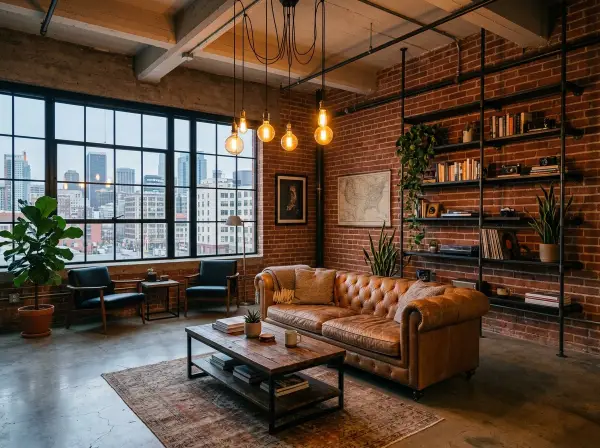
Generated 3 booth concepts. Minimal: white walls, floating product displays, clean typography, recessed lighting. Immersive: dark panels with backlit product hero shots, LED features, tunnel entrance effect. Energetic: full brand color wrap, bold oversized typography, interactive display stations.
ToolRouter redesign_roomGenerate 5 distinct visual concept directions for a campaign for [brand/product]. Direction 1: [description]. Direction 2: [description]. Each should show a distinct aesthetic, mood, and compositional approach. Photorealistic quality.
Create 4 product studio shots from this reference photo: 1) pure white background with dramatic lighting, 2) contextual lifestyle placement in a natural setting, 3) flat lay arrangement with complementary props, 4) extreme close-up showing texture and material.
Extract the complete brand visual identity from [competitor URL]. Return: primary and secondary color palette with hex codes, font names, photography style description, iconography style, and overall visual positioning in 3 sentences.
Remove the background from this image and replace it with [description of new background]. The subject should look naturally placed in the new environment with appropriate lighting and shadows.
Upscale this image to 4K resolution using the best available AI model for [product photography / portrait / architectural photography]. Preserve fine detail and avoid over-sharpening artifacts.
Research current visual design trends in [industry] advertising and marketing. What color palettes, typography styles, photography aesthetics, and graphic elements are dominant right now? Include examples of leading brands.
Redesign this space in 3 different styles: 1) [style], 2) [style], 3) [style]. Keep the structural elements the same but transform the surfaces, lighting, furniture, and overall atmosphere for each direction.
Resize this image into 6 standard ad sizes: 1200x628 (Facebook link), 1080x1080 (Instagram square), 1080x1920 (Stories), 300x250 (banner), 728x90 (leaderboard), 160x600 (skyscraper). Maintain center composition for each.


Everything art directors need from AI, connected to the assistant you already use. No extra apps, no switching tabs.
From brief to visual concepts: research visual trends, generate concept directions, and build product imagery for a complete campaign moodboard.
Take approved creative and produce all derivative assets for every channel and format, from a single master file.
Audit how competitors are presenting their brands visually to inform a brand refresh or new campaign direction.
Generate Image supports 20+ models with photorealistic output quality. For concept development and moodboarding, the quality is excellent. For final production assets, results vary by subject matter — product shots, environments, and abstract compositions tend to produce more consistent professional results than complex human figures.
Yes. Product Studio generates complete product shot packages from a single photo input: white background studio shots, lifestyle placements, flat lays, and detail close-ups. The outputs meet Amazon and major e-commerce platform standards for product listing images.
Brand Extract crawls the target website and pulls hex color values from CSS, identifies fonts via rendering analysis, and describes visual style based on imagery and layout patterns. It delivers accurate hex codes and font identification for well-designed sites with established brand systems.
Image Upscale can increase resolution up to 10x using multiple AI models. For print use, results depend heavily on original image quality — photos with soft focus or high noise compress poorly at scale. The tool offers model selection so you can choose the best approach for your image type (photography vs illustration).
Deep Research synthesizes trend reports, design publications, and brand case studies into a structured summary. For social visual trends specifically, Social Media Search pulls the highest-performing visual content from Instagram and TikTok so you can see what aesthetics are resonating with audiences right now.
Works in Chat, Cowork and Code