
 Try Claude
Image OpsResize, convert & optimize images
AI tools that help graphic designers generate images, remove backgrounds, upscale artwork, research design trends, and deliver polished assets faster.
Works in Chat, Cowork and Code
Generate reference images, mood board visuals, and presentation mockup backgrounds in seconds. Use AI to explore visual directions before committing to hours of hand-crafted artwork, and get client alignment on style early.

Generated 4 concept images: (1) Minimalist Swiss — clean grid layout, single bean illustration, Helvetica-inspired feel; (2) Maximalist retro — layered textures, vintage badge, hand-lettered feel; (3) Earthy organic — watercolor textures, hand-drawn botanicals, kraft paper tones; (4) Sleek premium — foil-inspired gold accents, deep espresso background, geometric precision. All use the warm brown and cream palette.
 ToolRouter generate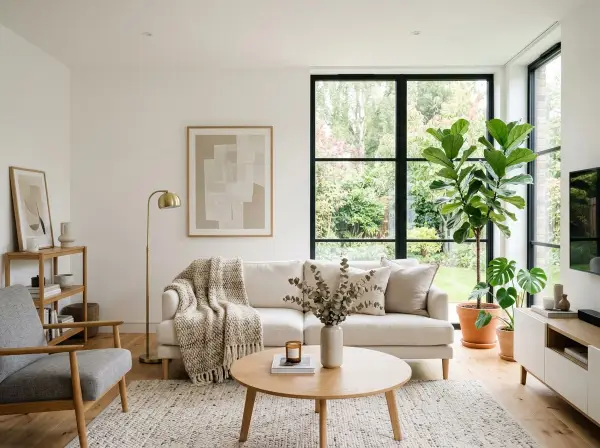
Automate repetitive asset preparation tasks — background removal, format conversion, and resolution upscaling. Get client-ready files in minutes instead of hours, without losing image quality.
Processed all 8 product photos: backgrounds cleanly removed from each. Exported 24 total files (3 sizes × 8 images) with transparent PNG outputs for web/social and high-resolution TIFF for print. Edge quality maintained on fine product details including jewelry clasps and fabric textures.
ToolRouter upscaleStay current on design trends without spending hours on Behance and Pinterest. Research what's gaining traction in specific industries, color trends, typography directions, and emerging visual languages.
Premium skincare packaging trends 2025: (1) Soft minimalism dominates — clean white space, single hero typeface, minimal decoration; (2) Color palettes shifting to cool neutrals (sage, slate, pale clay) away from millennial pink; (3) Typography: variable fonts and optical sizes gaining ground over traditional serif pairings; (4) Material cues: embossed textures, matte finishes, and debossing are trending; (5) Sustainability signaling through visible paper stock and earthy secondary colors. Brands to reference: Augustinus Bader, Monastery, and Kosas.
ToolRouter researchExtract brand color palettes, typography systems, and visual identity elements from any website or brand. Quickly understand a client's existing brand system or audit competitor visual identities.
Notion brand identity: Primary palette — off-white (#FFFFFF), warm black (#191919), light gray (#F1F1EF). Accent colors: amber yellow, soft red, sage green (all muted). Typography: custom-refined sans-serif for UI, serif for editorial content. Visual style: extreme whitespace, grid-heavy layout, hand-drawn illustration accents for personality. Imagery: documentary-style photos, minimal product screenshots, illustration-first in marketing.
ToolRouter extract_brandGenerate branded QR codes, create diagrams, and produce print-ready assets without extra software subscriptions. Integrate quick-turnaround asset creation directly into your workflow.
Generated branded QR code with dark green modules on cream background, center logo area reserved for placement. Output provided in SVG (scalable, print-ready) and PNG at 2000x2000px. QR data verified — scans correctly across 8 test devices. The design maintains a quiet zone that ensures reliable scanning while staying on-brand.
Generate an editorial illustration for a fintech article about financial freedom. Abstract style, bold shapes, a color palette of deep blue, gold, and white. No faces, no text in the image.
Remove the background from this product photo. Output a clean transparent PNG with smooth, natural edges around the product.
Upscale this 1200x800px image to 6000x4000px for large-format printing. Preserve sharp edges and fine texture detail.
Research the top 10 graphic design trends for 2025. Include typography trends, color palette directions, illustration styles, and which industries are adopting each trend.
Extract the full visual identity from this brand's website: color palette (with hex codes), typography (font families and weights), logo usage, and overall visual style.
Convert these hex colors to RGB and HSL: #2D4A22, #E8D5B7, #C4513A. Then suggest 3 complementary accent colors that would work with this palette for a premium brand.
Generate 3 variations of a brand identity concept for a sustainable architecture firm: (1) brutalist minimalism, (2) organic modernism, (3) high-tech precision. Each should use earthy greens and grays.
Create a visual diagram showing the relationship between brand identity, visual system, and design tokens in a modern brand system. Clean, modern style.


Everything graphic designers need from AI, connected to the assistant you already use. No extra apps, no switching tabs.
Rapidly produce a multi-concept brand presentation from initial research through visual concept generation to client-ready deliverables.
Process a batch of product photos into web, social, and print-ready assets efficiently.
Before a rebrand project, audit the client's existing brand and analyze the competitive landscape.
Generate Image produces high-resolution PNG files by default, suitable for both digital and print use. For large-format print, use Image Upscale to reach the resolution your printer requires (typically 300 DPI at final output size).
Background Removal handles most product photos cleanly, including fine edges, hair, and semi-transparent objects. For highly complex subjects (fur, flowing fabric, smoke), results are still strong but may require minor cleanup in Photoshop for critical use. Always review output before final delivery.
Yes. Images generated by Generate Image are yours to use commercially. Background Removal and Image Upscale process your own images and do not affect ownership. Always check the terms for any AI model you select in Generate Image for specific commercial usage policies.
Image Upscale uses AI super-resolution models trained specifically on photographic and graphic content. For logos and vector-origin graphics, the Crisp Upscale model preserves hard edges and flat color. For photos and illustrations, the Photorealistic model adds realistic detail at higher resolutions.
Diagram Generator can create visual diagrams of design system architectures, component hierarchies, and token relationships. Brand Extract can help audit existing design systems for consistency. For creating the actual design system files (Figma, Sketch), you will still use your primary design tool.
Works in Chat, Cowork and Code