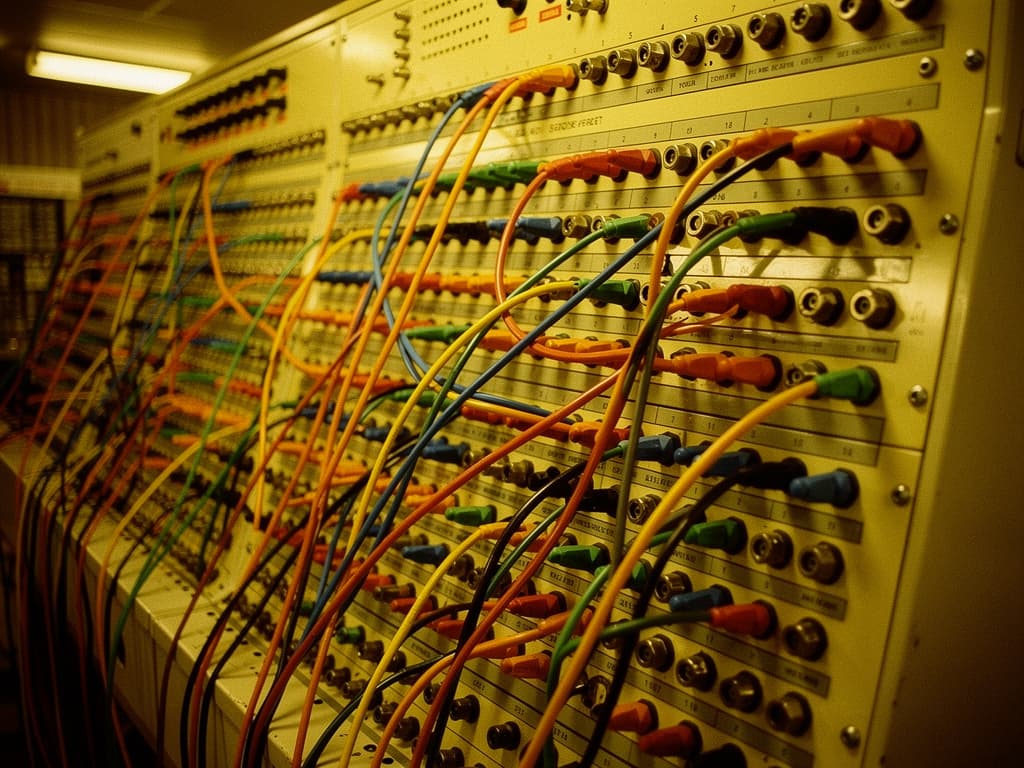
"MCP gateway: one catalog across Claude, ChatGPT, and Grok"

MCP gateway: one catalog across Claude, ChatGPT, and Grok
An MCP gateway is one endpoint and one login in front of many tools. You add it once. Then Claude, ChatGPT, and Grok can use the same ToolRouter catalog. You do not log in again for every server.
People who live in this mess say the same things. Too many MCP tools. Re-auth on every app. Context bloat. Tools that vanish. A setup they are not willing to ship to the team.
What is an MCP gateway?
MCP means Model Context Protocol. It is how an AI app talks to tools. Mail. Calendar. Docs. Tickets.
A demo is easy. One app. One server. Real work is many apps and many servers.
A writer at O'Reilly counted the work. If you have seven apps and six tool servers, you must set up 42 connections. Each new app means another add-connector click and another login prompt. You do it for the terminal. Then you do it again for the next chat. Their fix is one door in the middle: one endpoint, one login, and each tool keeps its own name. They call the simple version of that an MCP gateway. You set up each app once. You log in once per service. You share one link with the team. That means 42 setups become 7 clients plus 6 servers.
| Many servers | MCP gateway | |
|---|---|---|
| Setups | 42 connections (7 clients times 6 servers) | 7 clients plus 6 servers |
| Login | Re-auth on every app | One login per service |
| Tools in context | Every tool list loads up front | Each tool keeps its name. Smaller list. |
ToolRouter is a hosted specialist catalog with that shape. One connection for Claude, ChatGPT, and Grok. Free tools stay free. You do not have to build the middle door yourself.
Why an MCP gateway must cut context bloat
O'Reilly also names the context bloat footgun. Many apps put every tool description into the chat before you type. You burn tens of thousands of tokens before the job starts. Copy a Google Drive doc into Salesforce and the whole doc can pass through the model twice. They say Anthropic measured one workflow dropping from 150,000 tokens to 2,000 when that path was fixed.
This is not a story. Here is what people actually hit.
One Claude Code user plugged in six tool servers: Google Docs, Asana, Calendar, Slack, Atlassian, and Gmail. The tool lists used 98,700 tokens. That is about half of the space the model has to think. Only 34,000 tokens were left for the real job.
Another Claude Code user put about 250 tools behind one connection, from 16 other servers. Every time they started a chat, all 250 tool lists loaded. That used 120,200 tokens. After they typed hey, 88 percent of the window was gone.
A Cursor user had very few servers and already 59 tools. Just GitHub filled around 20. A Cursor staff reply said you can switch tools off so you do not pollute context with tools you do not use.
Arpit Bhayani said a bad habit is mapping each REST call to its own MCP tool. Seven API endpoints become seven entries in the model's context on every request. That eats tokens. Cost and context pollution follow. In most MCP apps today, every tool list loads before your prompt, so the list should stay small.
The model is not smarter with more tools. It is busier. Half the window is a menu. The job has not started.
An MCP gateway only helps if it hides the tools you are not using. If it still dumps 250 lists into the first minute, you still pay the footgun.
MCP gateway login: a setup teams will not ship
Login is the other tax. The same O'Reilly piece says the default is painful. Each person sets up each server on each app. Ten or more add-connector flows. Ten or more login prompts.
A Cursor user said all of their MCPs need a login, because they handle critical data. The new Customize area hid the Authenticate button. They could not see a workaround.
JD had five repos. Same remote address. Different login headers, because each repo maps to a different project. Someone said to put all five in one global file. That would give every repo write access to all five projects. It would also put five near-identical tool sets in front of the agent. JD's words: not something I am willing to ship to my team.
That is the bar. If the only way to make tools show up is to flatten every account into one login, you do not ship it. An MCP gateway that keeps each tool's name, and one login per service, is the pattern that does not ask you to do that.
Give your AI superpowers. Copy one instruction and paste it into your AI.
When an MCP gateway still fails: wrong tenant, missing tools, hard limits
A Claude Code bug used two Atlassian servers. Same official address. Two different sites, comoclub and hurricanestudio. The app treated them as one server because the address was the same. Only one set of tools appeared. A call on the surviving name returned the other site's data. The name said Hurricane Studio. The data was Comoclub. No warning.
A ChatGPT user said tools can load, then vanish. It can happen with one MCP. Loading more than one MCP, a first version plus a temporary second version, seemed to make it worse. The server stayed healthy. No request arrived when the tools went away.
Cursor CLI users see a hard stop: too many MCP tools are enabled for this model. Please disable some MCP servers and try again. Staff said this cap comes from the model provider. The CLI ships every tool list at the start of the session.
Another Cursor user said three MCP servers already break the Auto model. MongoDB find was on the list. Auto had zero clue it existed. They wrote: it is not normal that 3 MCP servers are already breaking Cursor's ability.
A comment on Roland Huß's post described the next step people try. They split 300 or more MCP tools across 20 or more servers. Then they drown in servers. Then they build an MCP gateway with two tools. One searches the 300. One runs the pick. Huß's own point: GitHub's MCP server hit 100 plus tools and had to cut back to 40 after the agent got worse. Tool pick accuracy drops below 90 percent somewhere between 10 and 15 tools.
So you get three failure modes from the same root. Too many tools in one list.
The model wastes tokens on lists it will not call. The app hits a cap and drops servers, or tools vanish mid-chat. Two accounts share an address and the wrong data comes back under the wrong name.
An MCP gateway does not magically raise every app's cap. It does let you stop feeding the app 16 other servers and 250 tool lists on minute one.
MCP gateway: one endpoint, one login, each tool keeps its name
Here is the pattern in plain words.
You add one endpoint once. You log in once per service, in the middle, not on every app. Each tool keeps its name, so Slack search is not Drive search, and account A is not account B. You keep a small list in context. Search then call, or a short catalog, instead of 250 lists on session one.
That is the O'Reilly middle door. That is also why people collapse 300 tools behind two.
ToolRouter hosts the specialist catalog so you do not wire that yourself for every app. The connect page says ToolRouter gives Claude, ChatGPT, Grok, and other compatible clients one connection to hundreds of specialist tools. Free tools work right after you connect.
You still pick what the assistant should use. You just stop pasting a new server, a new login prompt, and a new tool dump into every app.
How to connect ToolRouter as an MCP gateway
The useful bit first. You add one MCP connection. Then you ask the assistant to use a tool.
The exact clicks live on the ToolRouter connect page. Use that page. Do not copy a stack of addresses from an old blog post.
On Claude, open Customize, then Connectors, then add a custom connector named ToolRouter. On ChatGPT, turn on developer mode, then create an app named ToolRouter. On Grok at grok.com, add a custom connector named ToolRouter. Grok Bot is not grok.com.
In a terminal, one command is enough: npx -y toolrouter-mcp. The same command works in Cursor, Windsurf, Cline, VS Code, and other MCP apps.
No API key is required for MCP or CLI setup. ToolRouter makes you an account the first time you connect. Free tools work immediately. If you later want a dashboard or credits, you claim the connected account.
When you are ready, connect here: https://toolrouter.com/connect
Frequently Asked Questions
What is an MCP gateway?
An MCP gateway is one endpoint and one login in front of many Model Context Protocol tools. Your AI app adds that one connection instead of adding a server for every app. A writer at O'Reilly describes the simple form as a server in the middle. You set up each app once. You log in once per service. That means 42 setups become 7 clients plus 6 servers.
Why do too many MCP servers break the model?
Because the app loads every tool list before you type. Six servers have already burned 98,700 tokens on Claude Code. Sixteen other servers behind one connection burned 120,200 tokens. Three MCP servers have already left Cursor Auto with no idea a listed MongoDB tool existed. Keep the list small. Switch off tools you do not need. Or put search-then-call in front of a large catalog.
Will an MCP gateway stop tools vanishing in ChatGPT?
It can cut the chance, because you add one connection instead of many. It is not a magic fix. A ChatGPT report said tools can vanish even with one MCP. Loading more than one MCP seemed to make it worse. The server was still healthy. The client just stopped showing the tools.
How is ToolRouter an MCP gateway I can actually ship?
You add one connection named ToolRouter. Claude, ChatGPT, and Grok on grok.com then talk to the same hosted specialist catalog. Free tools stay free. You do not flatten five projects into one login just to make the buttons show up. The steps are on the ToolRouter connect page.